A macOS digital forensics companion for the AI era.
The one who looks for changes, startup entries, background helpers, extensions, commands, agent instructions and source evidence.The one who looks forchangesyoumightmiss.startupsurprises.quietbackgroundhelpers.extensionsbeyondthebrowser.commandsbehindyourtools.youragents’instructions.skillsworthacloserlook.pathsworthtracing.securitysettingsworthinspecting.thesourcebehindafinding.
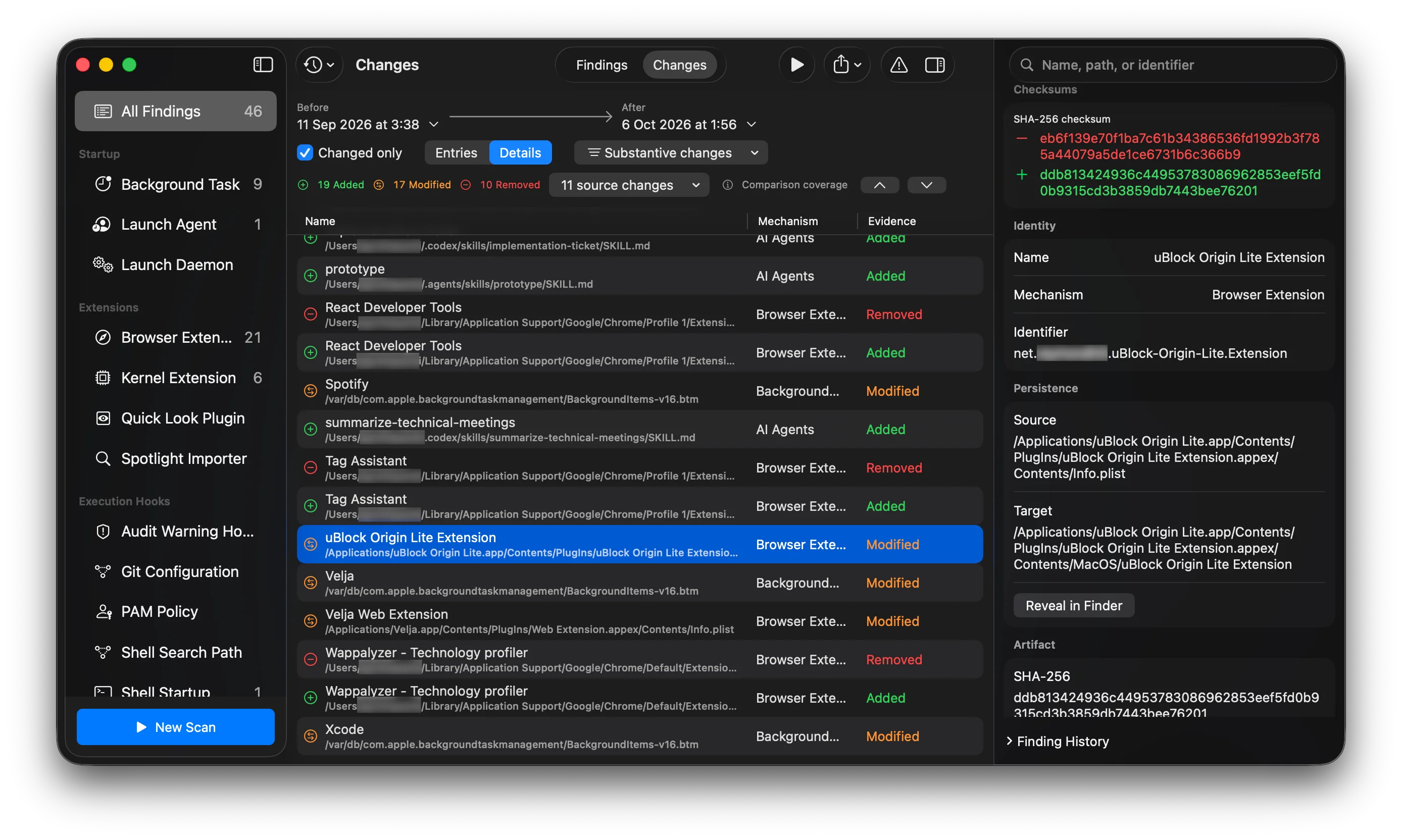
See how your Mac evolves as you install and use software. Follow startup entries and AI-agent instructions to their source, and see what changed between scans.
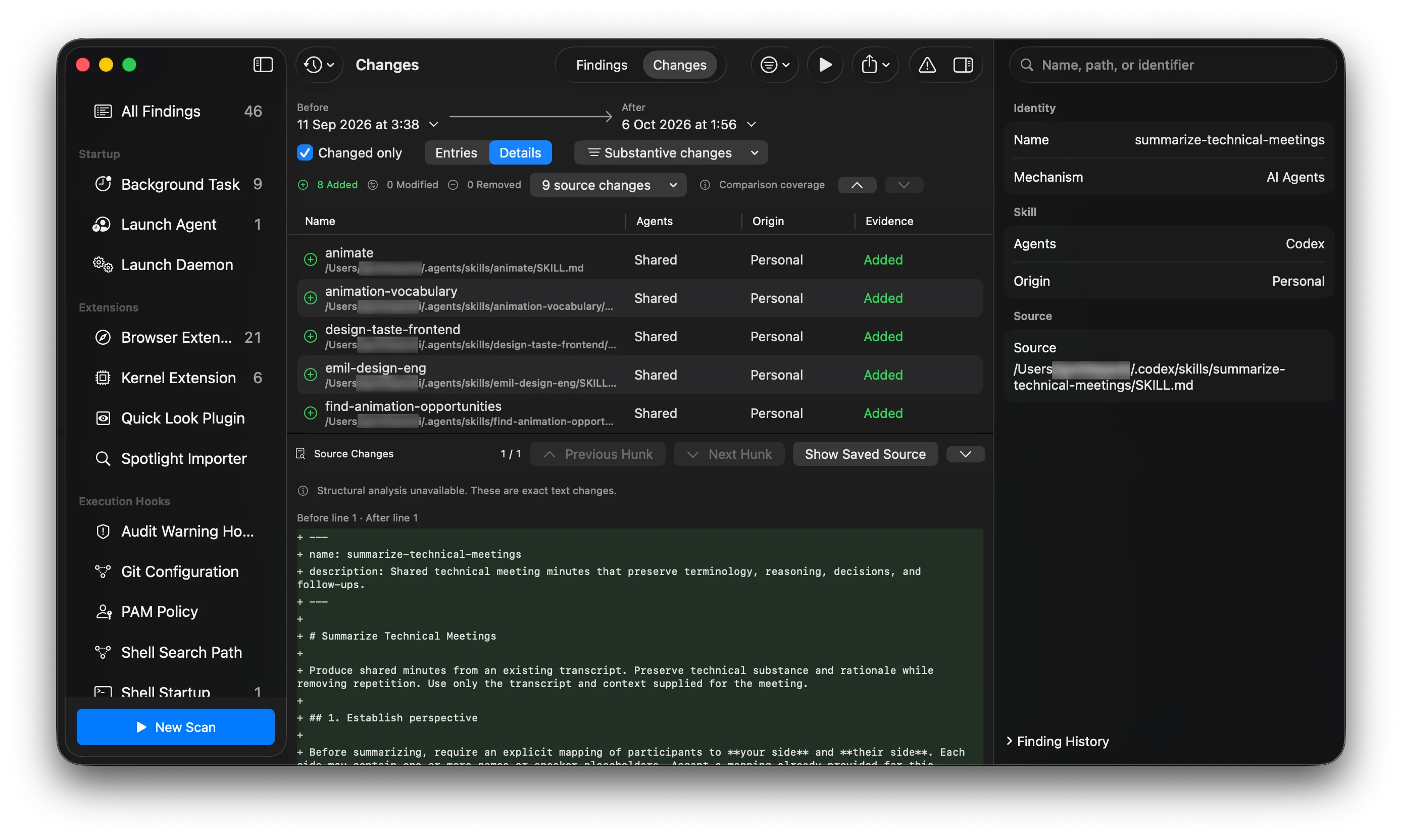
+ ---
+ name: summarize-technical-meetings
+ description: Shared technical meeting minutes that preserve terminology, reasoning, decisions, and follow-ups.
+ ---
+
+ # Summarize Technical Meetings
+
+ Produce shared minutes from an existing transcript. Preserve technical substance and rationale while removing repetition. Use only the transcript and context supplied for the meeting.
Added finding
+Recorded in this scan
Identity
Nameanimate
MechanismAI Agents
Skill
AgentsShared
OriginPersonal
Source
Source~/.agents/skills/animate/SKILL.md
Source Changes
+ ---
+ name: animate
+ description: Build an animation from scratch, making the decisions in the order that determines whether it feels right.
+ ---
+
+ # Animate
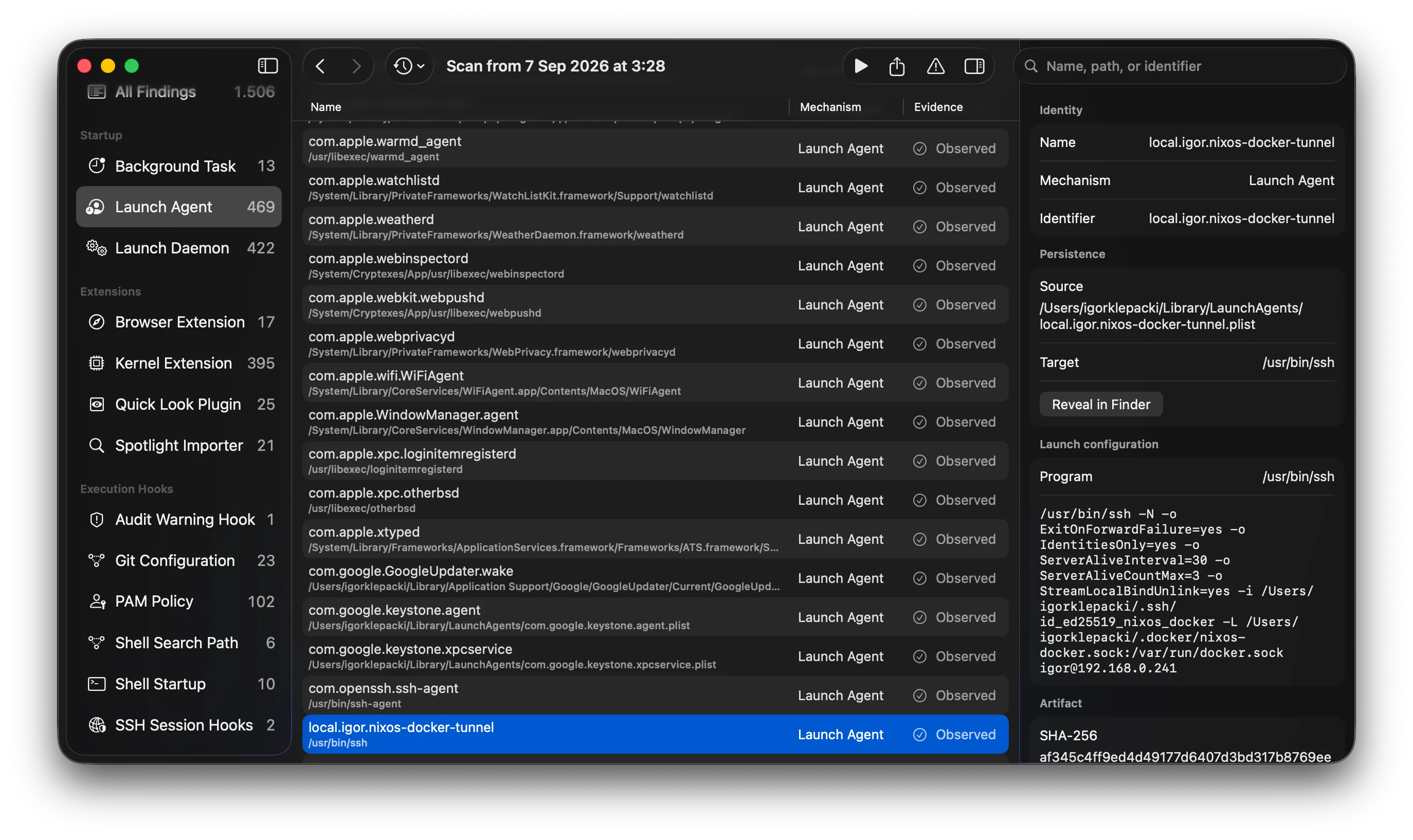
Inspect startup entries, background helpers and scheduled jobs, with the configuration behind them.
Findings
NameEvidence
Launch configuration
Program/usr/libexec/warmd_agent
MechanismLaunch Agent
Launch configuration
Programweatherd
MechanismLaunch Agent
Launch configuration
Program/usr/bin/ssh-agent
MechanismLaunch Agent
Select an entry to inspect it
Instructions behind your AI agents
Read your agents’ skills and instruction files, with their captured source.
AI Agents
SkillsPersonal
NameAgentsOriginEvidence
Source Changes1 / 1
+ ---
+ name: summarize-technical-meetings
+ ---
+
+ # Summarize Technical Meetings
+
+ Produce shared minutes from an existing transcript. Preserve technical substance and rationale while removing repetition. Use only the transcript and context supplied for the meeting.
+ ---
+ name: animate
+ ---
+
+ # Animate
+
+ Build an animation from scratch, making the decisions in the order that determines whether it feels right.
Find an entry by name or path
Search a name, path or identifier to find the entry you want to inspect.
All Findings
Name
No matching findings. Try “ssh” or “SKILL.md”.
Select a finding to inspect its identity.
Launch Agentcom.openssh.ssh-agent
Background Taskcom.mitchellh.ghostty
AI Agentsanimate
Background Taskcom.google.GoogleUpdater
4 sample findings
Extensions, beyond the browser
Explore the additions to your browser, Finder, previews, search and system.
This configured helper applies when Git resolves the matching credential context.
InvocationShell
InvocationShell
Git passes this configured value through its documented shell command path.
Setting: credential.helper
Credential context: https://github.com
~/.gitconfig:3
Captured at scan time. The file on disk may differ.
Your Mac could be targeted tomorrow.
AI can make technically demanding attacks accessible to less experienced actors. Knowing what’s configured on your Mac gives you a starting point for investigation.
Capture a baseline with Towl. Compare later scans, trace changes to their source, and decide what deserves a closer look.
Checkout is not open yet. Product availability will be announced here.
Future standard pricing: €15.98/month or €111.98/year.
A closer look.
What does Towl inspect?
Towl inspects startup entries, background helpers, scheduled jobs, extensions, shell and developer-tool commands, and supported authentication configuration. It also captures AI-agent skills and instruction files. Search findings, follow their source and compare saved scans. Configuration does not, by itself, prove that something has run.
Does Towl monitor my Mac continuously?
You choose when to scan. Run scans manually or enable interval scans while Towl is running, even with its windows closed. Automatic scans are at least an hour apart. Saved snapshots let you review changes between scans; Towl does not continuously monitor or record every change across macOS.
Will Towl remove or disable software?
No. Towl is read-only. It helps you inspect and understand the evidence without deleting, disabling, or quarantining the software it finds. It does not assign a threat score or label software safe or malicious.
What do I need to run Towl?
An Apple Silicon Mac with macOS 26 or later. Full Disk Access is required to start a scan. The subscription supports up to three installations.
Can I use Towl offline?
Activation and license refresh need an internet connection. A valid license allows new scans for up to seven days offline. Scan findings, captured source, and history stay on your Mac; they are not sent with licensing requests.
What happens if I cancel?
New scans require a valid license. Your saved findings, history, and exports remain accessible after your license expires. Subscription management is provided through Link.
How does early-bird pricing work?
Early customers keep access to €7.99/month and €55.99/year, including when switching billing intervals or cancelling and returning. This preserves your price, not access without a subscription. We will announce the closing date in advance. Future standard pricing: €15.98/month or €111.98/year.